

Authenticating cloudflare-operator
For the operator to interact with the Cloudflare API, an API token or Key is needed.
These secrets are scoped to specific Tunnel/ClusterTunnel resources, so the operator can interact with multiple Tunnel/ClusterTunnel resources if you host several domains in one cluster.
In order to minimise permissions granted to cloudflare-operator, it is recommended to use an API token. Cloudflare-operator will use an API token or API Key for each Tunnel/ClusterTunnel, never both.
Steps
Token generation
API token (recommended)
These API tokens can be found under My Profile > API tokens page in the Cloudflare Dashboard.
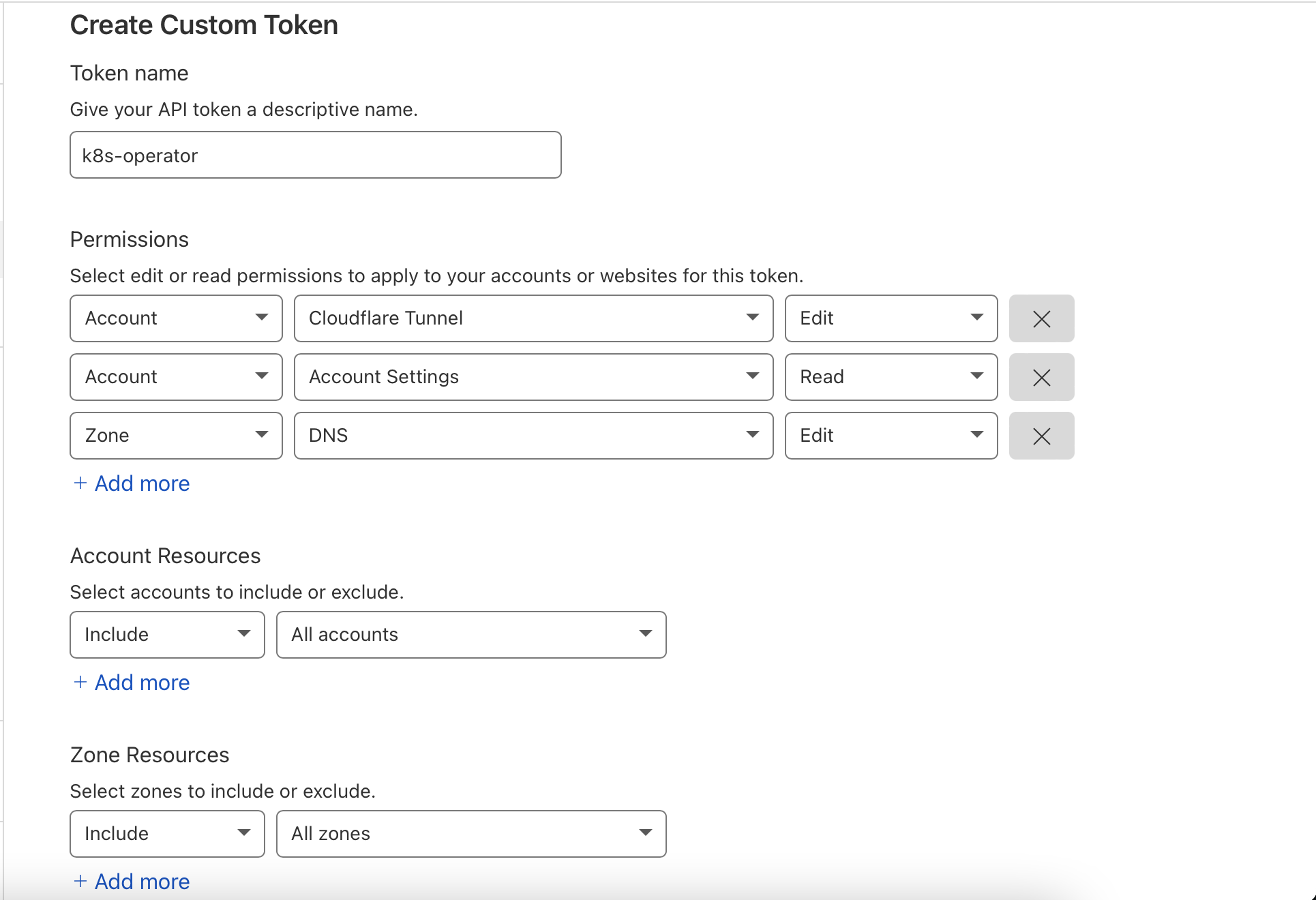
For the CLOUDFLARE_API_TOKEN, create a new "custom" token with the following:
- Permissions
- Account > Cloudflare Tunnel > Edit : To create new tunnels
- Account > Account Settings > Read : To get the accountId from Name and the domainId
- Zone > DNS > Edit : To get the existing domain and create new DNS entries
- Account Resources: Include > All accounts (or the specific account(s) your zone(s) are in)
- Zone Resources: Include > All zones (or the specific zone(s) you want to manage)
API Key
Not recommended
It is not recommended to use an API Key due to granting excess permissions. Use an API token instead.
For CLOUDFLARE_API_KEY, copy the Global API Key shown at the bottom of Cloudflare's API token page.
Secret creation
Imperative
kubectl create secret generic cloudflare-secrets \
  --namespace cloudflare-operator-system \
  --from-literal CLOUDFLARE_API_TOKEN=<api-token>
Declarative
Create a secret.yaml file:
apiVersion: v1
kind: Secret
metadata:
  name: cloudflare-secrets
  namespace: cloudflare-operator-system
type: Opaque
stringData:
  CLOUDFLARE_API_TOKEN: <api-token>
#  CLOUDFLARE_API_KEY: <api-key> # if you use an API key instead of a token, replace this instead

# CREDENTIAL_FILE is used if found, else CREDENTIAL_SECRET is used to build the file.
# Either of them is needed when using an existing tunnel
#  CLOUDFLARE_TUNNEL_CREDENTIAL_FILE: <~/.cloudflared/tunnelID.json contents>
#  CLOUDFLARE_TUNNEL_CREDENTIAL_SECRET: <TunnelSecret from ~/.cloudflared/tunnelID.json>
Deploy the secret:
kubectl apply -f secret.yaml